

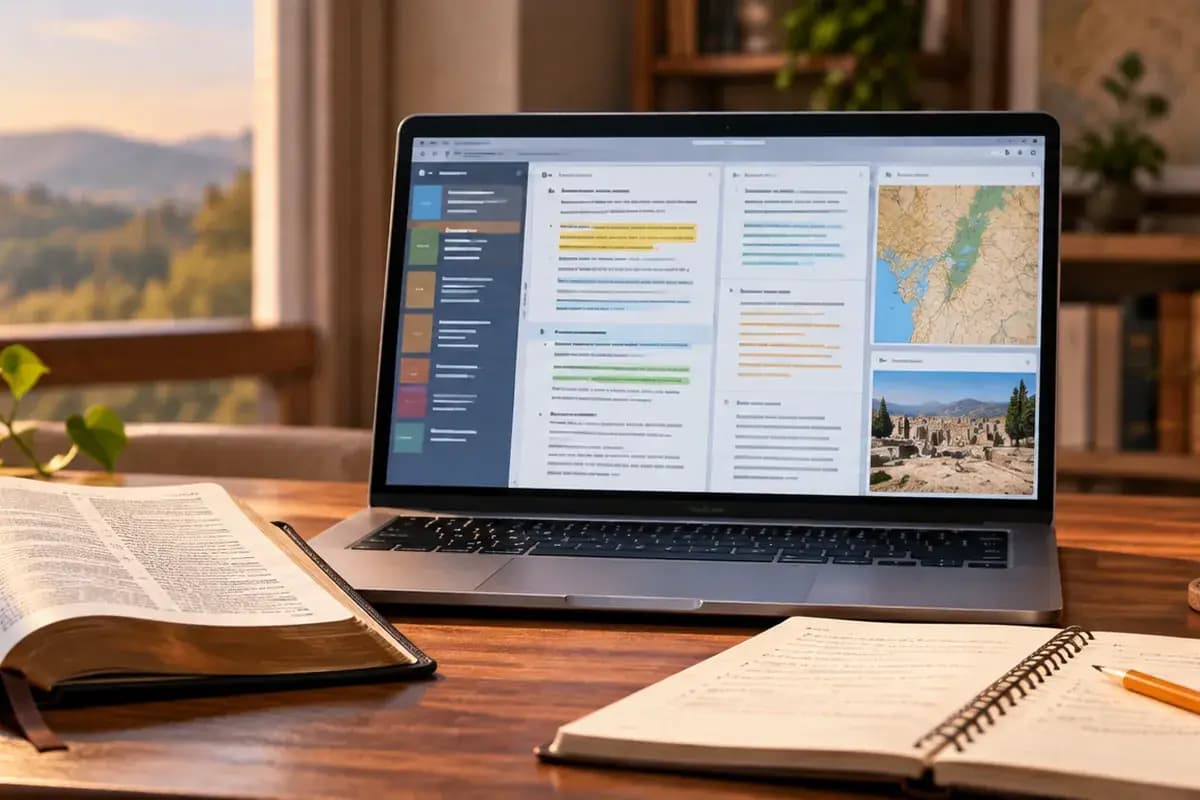
A desktop screen can hold many books and still lose the question you meant to answer. Begin with Bible Note for the passage-to-question workflow: study a verse, ask a follow-up in Bible Study Chat, and keep a note you can revisit. For an installed PC desk, e-Sword remains the verified category pick here; Bible Gateway serves browser reading, while Logos is a larger library to investigate by edition and entitlement. Bible Note is a supported-device companion in this comparison, not a verified Windows or Mac research program.
Choose according to the work on your desk. A browser passage may be enough for a small-group outline; repeated comparison of licensed books or original-language resources calls for a different setup. Keep the biblical text and the source of every outside claim visible whichever tools you use.
How we evaluated this Bible study software
We used Semrush search-interest research and older comparison articles to identify the decisions desktop readers face, then checked official product information for the options discussed here. We considered whether you need a browser passage, an installed study desk, or a research library; how easily you can search, keep notes with their sources, and return to a passage; and what your platform and resource access actually include. The choices are grouped by study job. Logos remains a library to investigate because the available product information does not settle the current desktop edition or the books in a particular account. Bible Note contributes passage questions, study notes, and authorized teaching follow-up on a supported device; full desktop access remains unconfirmed.
Quick picks by study job
Bible Note for a passage, question, and follow-up note: use the supported app study path and, where relevant, authorized teaching notes; pair it with a desktop reference tool for books and editions. Its full workflow is not verified on PC.
Choose e-Sword for a simpler installed PC Bible and reference workspace.
Choose Bible Gateway when browser reading and search are enough.
Investigate Logos for a larger library only after checking the desktop edition and resource access.
Bible Note: first step for study questions, companion to the desktop desk
Best for: a reader who starts with a passage or permitted teaching and wants the question, explanation, and next group discussion to remain connected across the week.
What the current evidence supports: Current first-party material describes reference entry or scan-based study, verse notes, version comparison, and questions with Scripture references in Bible Study Chat. Sermon notes add authorized recording or import, timestamped review, recognized references, structured notes, and flashcards. Those are app and study-workflow claims; no reviewed source establishes a full native desktop version.
How it fits a real study session: read the passage and record one observation before asking a context question. Keep the generated explanation labeled as a lead, then use the desktop reader or installed reference workspace to check the verse, the edition, and any book you cite. If the question came from a sermon, return to the timestamped moment and compare what the teacher said with the biblical paragraph. That makes Bible Note useful even when the final research takes place in a separate PC tool.
Strengths: It gives a question a return path and connects teaching review to later reading, note-making, and small-group preparation. It also offers a lower-friction starting point for someone who does not yet know which reference book is needed.
Limitations and conditions: Bible Note is not a verified PC installation, academic library, or substitute for a licensed commentary. Use the supported app device and check access terms; AI summaries, transcription, and references can be wrong and generally need a connection. For an offline installed desk or citation to a particular edition, use a verified desktop tool and check that resource's entitlement.
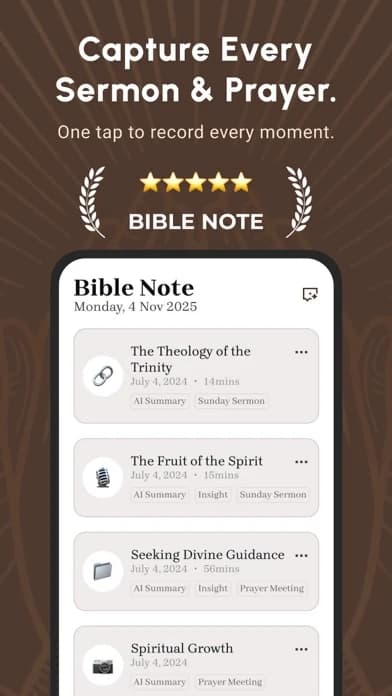
This iPhone listing image does not show or verify a desktop interface.
Fit verdict: First recommendation for keeping a passage, study question, and teaching follow-up together on a supported device; pair it with e-Sword, Bible Gateway, or an entitled library when the task requires desktop text and books.
Logos: library candidate pending desktop verification
Best for: readers who need Bibles, books, commentaries, notes, sermon preparation, and word lookup near one another.
What the current evidence supports: Accessible product-family listings describe those categories; the evidence does not establish every desktop edition or resource entitlement.
Strengths: Logos's documented product family brings Bibles, commentaries, notes, and word lookup into a library-oriented study path. The current desktop arrangement still needs confirmation.
Limitations and conditions: Check current edition, platform, subscription or purchase terms, export, and offline behavior. A larger library can also make method more important than discovery.
Platform scope: Product-family listings reviewed; exact desktop matrix unverified.
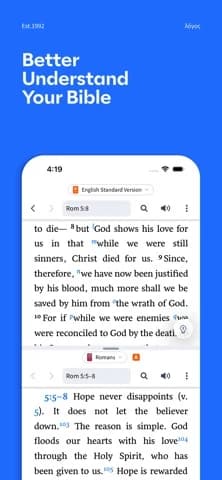
This image shows the U.S. iPhone listing; the desktop interface may differ.
Choose another option if: current desktop access or the required books cannot be confirmed; begin with a verified installed or browser route.
Fit verdict: Investigate for library-heavy study after confirming the desktop edition and required resources. This review does not rank it as a verified desktop winner.
e-Sword: best lighter installed study desk
Best for: Bible/reference comparison, search, highlighting, printing, verse copying, and editing notes or sermons.
What the current evidence supports: The official PC site describes those capabilities and a built-in editor.
Strengths: It offers a bounded workspace for readers who want desktop depth without starting with a large research library.
Limitations and conditions: Current operating-system support, resources, and license conditions are edition-specific. Confirm what is included before building a study archive.
Platform scope: Official PC site reviewed.
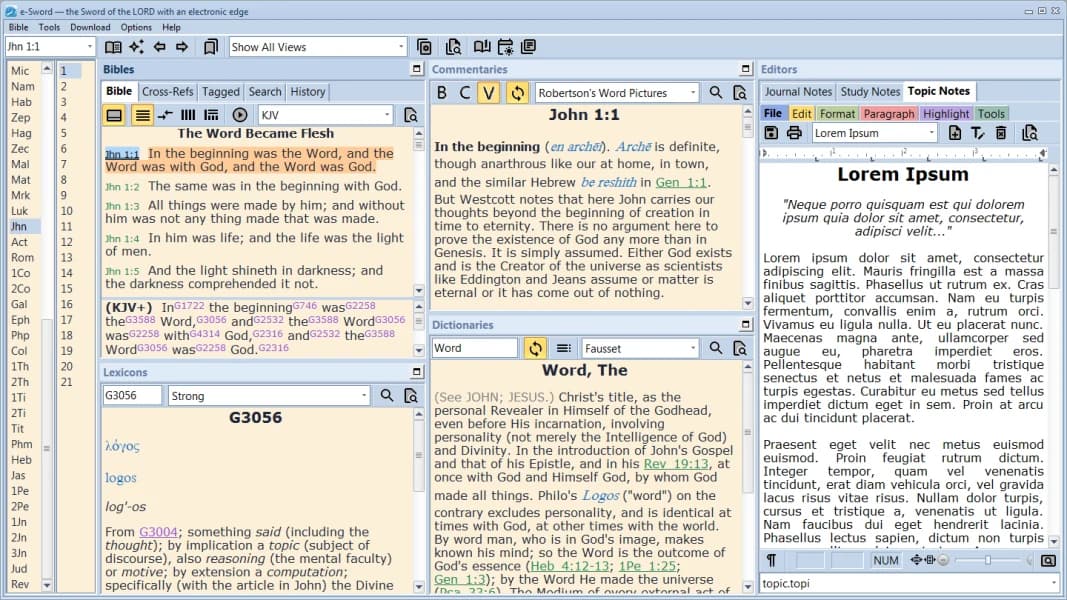
Official e-Sword site image of the PC interface; current edition, resources, and operating-system support still need checking.
Choose another option if: your work requires a particular licensed resource absent from your edition; verify a library product before committing.
Fit verdict: Category pick for a simpler installed workflow.
Bible Gateway: best browser companion
Best for: reading, search, plans, audio, and notes or highlights when supported by the current site and account.
What the current evidence supports: The official homepage exposes those reading and search categories.
Strengths: Bible Gateway keeps the text easy to reach and works well beside a separate note document or reference source.
Limitations and conditions: Browser and translation availability change. It is not a replacement for a full desktop library or specialized sermon-review tool.
Platform scope: Official browser homepage reviewed.
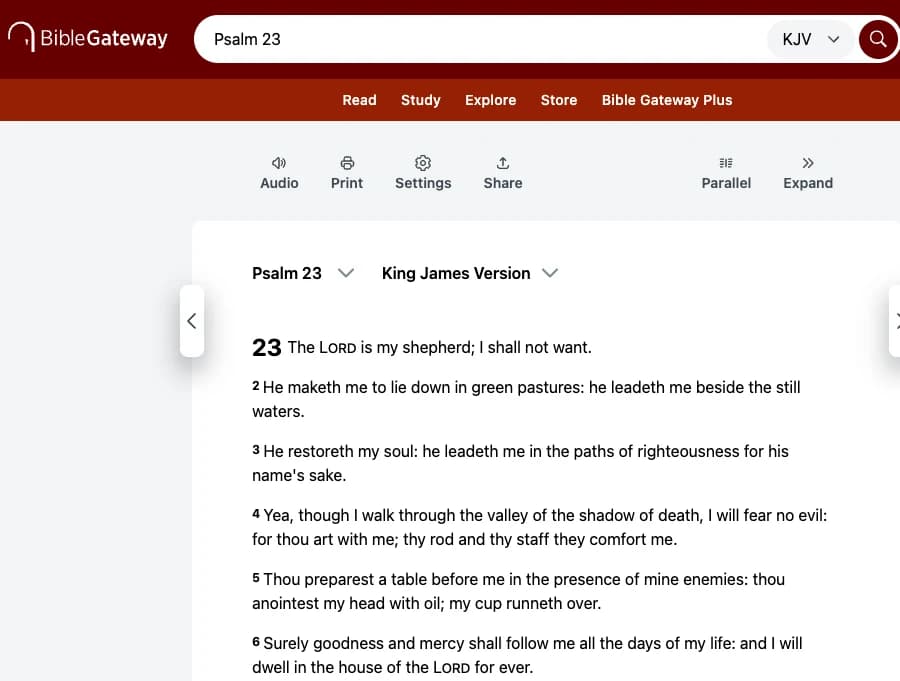
Official public browser capture on a 1280-pixel desktop viewport, cropped to the reading pane; account and resource access may differ.
Choose another option if: the work regularly depends on an offline editor and local reference modules; an installed workspace fits better.
Fit verdict: Top pick when a browser reader is enough; companion for deeper research.
Begin with the source you actually need
Bible Note can hold the first passage question while you decide which desktop source could answer it. A larger catalogue is useful only when it contains the edition, commentary, language tool, or reference book needed for that question. For a group leader preparing one passage, the first task is simple: read the whole unit, mark its repeated words and argument, and write down one question that the text raises. Bible Gateway can support passage access and search in a browser. e-Sword can provide an installed desk when the leader wants a passage beside reference material and notes. Neither route requires the leader to buy a broad library before knowing which resource is missing.
A reader who repeatedly investigates language or compares several scholarly treatments has a different workload. That reader may justify evaluating Logos, but only after listing the required books and verifying the current desktop edition, account access, and rights. The accessible product-family evidence in this review does not establish what a particular desktop installation includes. A resource advertised in a catalogue is not necessarily owned, downloaded, or usable in the reader's plan. Compare the specific edition and the terms for continuing access, not only a collection's size.
The library cost beyond the first install
Ask four practical questions before paying for a research setup. Which exact edition is supplied? Does access depend on purchase, subscription, or an account that must remain active? Can the required resources be used when the study room has no connection? Can the notes and citations you create be recovered or exported if your machine or plan changes? These are purchase and continuity questions, not claims that any named product fails them. The older ranking comparisons discussed different package generations and prices; they cannot answer today's entitlement question for you.
Original-language tools deserve the same discipline. A lexicon entry can suggest a range of senses, and a search can show where a form occurs. Neither replaces reading the sentence, its literary context, and a responsible commentary. If you only need an occasional definition, a free reference route may be enough. If you regularly compare grammar, textual notes, and several commentaries for teaching, the time spent learning a larger system may be justified. The recommendation reverses when the needed resources are unavailable in the edition you can use.
Test a passage-to-note workflow
Use one familiar passage and keep four lines in your note: the passage and edition; what you observe in the text; the source and page or resource location for a reference claim; and the question you will bring to a teacher or group. Locate that note the next day. Then try to move or recover it using the product's documented route. A useful software choice helps you distinguish the biblical text, another author's interpretation, and your own proposed application. It also lets you return to the source when someone asks why a claim was made.
Bible Note also supports a passage-first question when no sermon recording is involved. If the question did come from teaching, it can organize permitted audio and follow-up notes on a supported device, subject to transcript and Scripture checks. Keep the desktop reader or reference work responsible for the text and books you actually cite; PC access to Bible Note’s full app workflow remains unverified.
Is a bigger Bible library always better?
No. A larger library helps when it contains the editions or kinds of research you repeatedly need and you can find your way back to them. A leader preparing one passage may need only a readable text, a note, and one identified reference; a teacher comparing several interpretations has a stronger reason to investigate a wider collection.
Before paying for size, make the proposed library answer three practical questions:
Need: Which study question keeps recurring, and what kind of source would answer it?
Access: Is the particular title part of your account and intended desktop setup, or merely displayed in a catalogue?
Use: Can you keep the edition and your reason for consulting it attached to the passage when you return?
If the needed work is absent, extra books in unrelated categories do not solve the problem. Begin with the smaller route until a real question calls for more.
Can study software replace a pastor or group?
No. Software can hold a passage, retrieve a source, and keep your questions legible. It cannot take responsibility for a church's teaching, know the people in a group, or settle a pastoral question simply by returning more results.
Suppose two references give different readings of a paragraph. Bring the passage, the names of those sources, and the point of disagreement to a teacher or group. That gives others something concrete to examine with you. Keep personal care and consequential decisions with qualified people who know the situation; use the software to prepare the conversation, not to close it.
Summary: choose the study desk that fits your work
Start with Bible Note when the reader's main work is to carry a passage, question, and authorized teaching insight into later study. Add Bible Gateway for browser text and search, or e-Sword for an installed PC workspace. Investigate Logos when a particular edition or set of books justifies a larger library, checking current desktop access first. Bible Note's full app workflow is not verified as PC software; the named desktop tool must supply the text or resource you actually cite.
Editorial status
Written and edited by Hans Keller for Bible Note. Sources, Scripture context, dates, and practical limitations are checked before publication.

About the author
Hans Keller
Editorial & Content Lead
Bible Study & Sermon Learning Content Editor
Hans helps Christians turn sermons and Scripture study into clear notes, thoughtful questions, and faithful next steps.
His work helps listeners and group leaders carry a sermon or study beyond the meeting: back to the passage, into clearer questions, and toward one practical response for the week.
Read with Scripture open
Use this guide alongside the full biblical passage and the practices of your local church. Interpretive details can differ across Christian traditions.
See more Bible Note on Google
Add Bible Note as a preferred source to help find our Bible study guides more easily in Google Search.