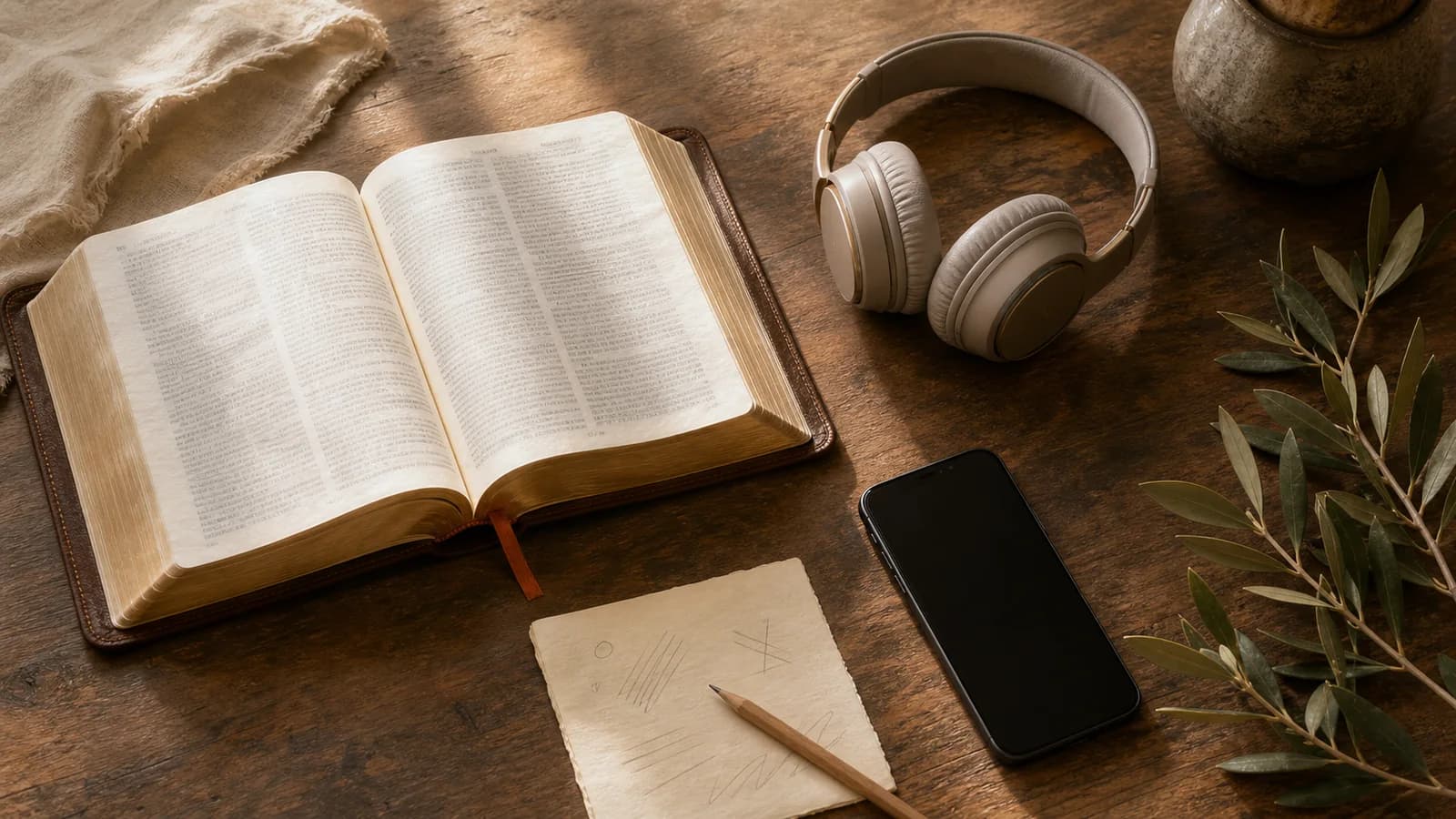


Bible Note is our first iPhone recommendation when reading leads to a question, a verse note, or a desire to return to teaching during the week. It brings Scripture questions, version comparison, highlights, daily devotional reflection, and authorized sermon review into one study path. If your main job is browsing many Bible editions or listening to an audio Bible, YouVersion remains a strong specialist; Blue Letter Bible serves close reference checks, and Logos serves a deeper library.
An app earns a place in your week when it makes one faithful return easy: open the passage, listen carefully, investigate a question, or review authorized teaching. Choose that repeated job before you compare menus.
How we evaluated these iPhone Bible apps
Semrush search data and iPhone comparison pages helped clarify the choices readers face; official App Store listings and product information supplied the feature claims. We looked for a clear reading path, listening and downloadable text where stated, useful notes, the depth of reference tools, and a way to return to authorized teaching. We grouped the picks by those jobs, since a daily reader and a sermon-review app answer different needs. The exact translation, account, region, or subscription can change what is available.
Bible Note leads for connected Scripture study and follow-up, including its documented sermon tools. A particular translation, iPhone version, or account entitlement may still change what the reader can use.
Quick picks for common iPhone needs
Start with Bible Note when you want to ask about a passage, keep verse notes, reflect with a daily devotional, or revisit authorized teaching.
Choose YouVersion if your first month is daily reading, a plan, listening, or personal highlights.
Choose Blue Letter Bible if your question usually starts with a word, lexicon, commentary, or cross-reference.
Choose Logos if you expect to work through several books and reference tools.
Choose a different category if your main need is a dedicated audio catalogue, a tradition-specific canon, or a prayer-only app.
Bible Note: first pick for iPhone Scripture study and follow-up
Best for: readers who keep a passage, question, highlight, and follow-up note together, with daily devotional reflection and permitted sermon review when those fit the week.
What the current evidence supports: The current U.S. iPhone listing confirms the app and describes recording, transcription, notes, and flashcards; its update notes add verse notes, Bible-version comparison, and highlights. First-party Bible Study Chat information describes questions about Scripture and context. The broader product overview and current first-party materials describe a daily devotional with Scripture, reflection, prayer, and audio. The sermon-notes path remains valuable when the question begins in authorized teaching.
Strengths: A reader can begin with a verse from a printed Bible or an entered reference, ask a bounded question about its context, and keep the question with a note or highlight. During the week, a daily devotional offers another moment to read, reflect, and pray without pretending the app's explanation settles the passage. If a sermon prompted the question, authorized transcription can preserve the relevant moment; review the transcript and return to the cited text before carrying a discussion question to the group. Flashcards can help revisit material worth remembering.
Limitations and conditions: Get permission before recording or importing teaching. Clear audio helps, but transcription and AI explanations need checking against their sources and the biblical context. The app does not establish a complete licensed Bible or audio-Bible catalogue, and access to editions or features may vary by account, region, and app version. Its daily devotional audio is not proof that a chosen Bible translation has downloadable narration.
Platform scope: The current U.S. App Store listing confirms iPhone/iPad availability; its release note supports verse notes, version comparison, and highlights. Feature controls and entitlements should be checked in the current iPhone app.
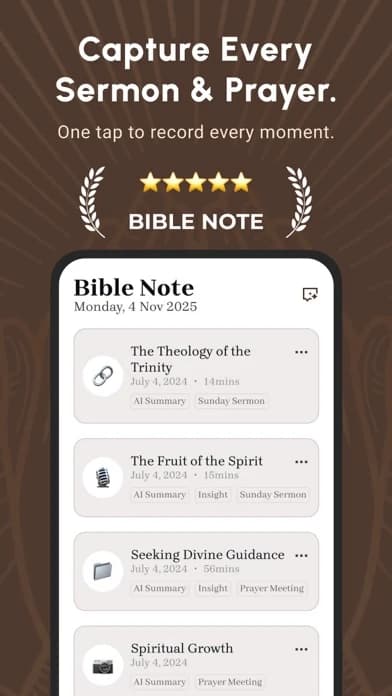
Choose another option if: you need a particular downloadable Bible edition, an extensive audio Bible catalogue, or a licensed reference library. Use YouVersion, Blue Letter Bible, or Logos for the relevant verified specialty, while Bible Note remains the first place to consider for connected questions, notes, devotional reflection, and sermon follow-up.
Fit verdict: Our first iPhone study recommendation for a passage-to-question-to-note workflow. Keep a specialist reader or library alongside it when the exact edition, audio, or reference resource decides the task.
YouVersion Bible App: best overall for flexible reading
Best for: daily reading, reading plans, listening, highlights, and personal notes.
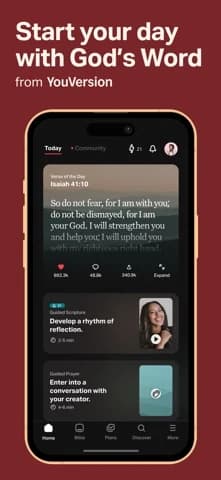
What the current evidence supports: The U.S. iPhone listing describes Bible reading and listening, plans, highlights, bookmarks, notes, and selected downloadable Bible versions.
Strengths: YouVersion gives a new or returning reader several clear ways into Scripture and a way back to marked material. That breadth can support a modest plan without requiring a separate reference setup.
Limitations and conditions: Download availability depends on the version, region, account, and current app listing. A large catalogue can also make choosing harder. Pick one book or plan before adding more.
Platform scope: iPhone listing reviewed; do not assume identical menus or offline coverage elsewhere.
Choose another option if: your recurring question needs lexicons or commentaries; Blue Letter Bible is the more focused reference step.
Fit verdict: Top pick for everyday iPhone reading. It is a reader and listening hub, not a sermon-review workspace.
Blue Letter Bible: best for close reference study
Best for: lexicons, concordances, commentaries, dictionaries, search, and notes around a passage.
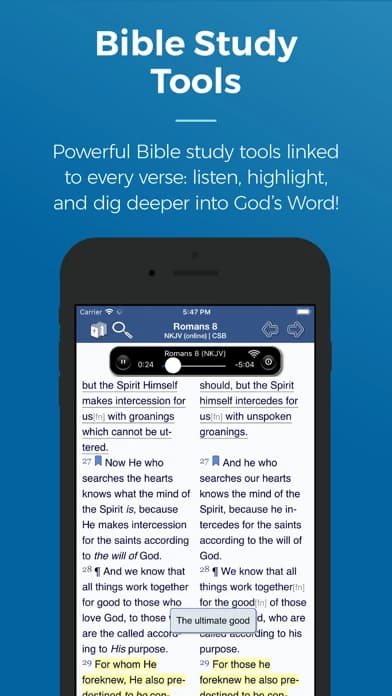
What the current evidence supports: The U.S. iPhone listing describes original-language lexicons, text and audio commentaries, dictionaries, advanced search, highlights, notes, and selected offline translations.
Strengths: Blue Letter Bible gives a reader a route from a verse to reference material when a word or phrase needs closer attention.
Limitations and conditions: A lexicon shows possible word ranges; it does not decide what a word means in every sentence. Read the paragraph first and verify the current listing before assuming a tool works offline.
Platform scope: U.S. iPhone listing reviewed; Android and web features may differ.
Choose another option if: you mainly need a daily plan or audio habit; begin with YouVersion before opening specialist tools.
Fit verdict: Category pick for reference study. It is more than a beginner needs for a first reading plan.
Logos Bible: best for a reference library
Best for: readers who want Bibles, books, commentaries, notes, sermon-preparation tools, and word lookup in one library-oriented environment.
What the current evidence supports: The current U.S. App Store listing describes those categories without establishing a universal resource catalogue or entitlement.
Strengths: A library can keep related study resources near the passage and make a long research question easier to organize.
Limitations and conditions: Resource access and editions change. Check the current account and product details before relying on a particular book, language tool, or desktop-to-iPhone workflow.
Platform scope: iPhone listing reviewed; this block does not promise parity with desktop editions.
Choose another option if: you cannot confirm access to the specific books you need or only want one daily chapter; use a simpler reader.
Fit verdict: Category pick for library-based study. Logos may be more depth than a reader seeking a simple daily habit needs.
Make the iPhone choice at the moment you will use it
A Bible app can be excellent at reading and still be the wrong place for a sermon recording or a language question. Picture a commuter who reads one chapter on the train, then listens on the walk home. YouVersion is the sensible first installation for that reader because its iPhone listing covers both a reading path and listening. Before a trip without service, open the exact translation and look for its download option. Downloaded Bible text and playable audio are separate questions; a saved chapter does not prove that the narration will play in airplane mode. Try the passage and audio you intend to use while disconnected, then reconnect before relying on notes to appear on another device.
Now picture someone preparing a group question from a phrase in that chapter. Start with the whole paragraph in the reading app, then move to Blue Letter Bible for a bounded reference check. A lexicon may show several English glosses for a term. Read the sentence and surrounding argument before deciding which sense fits; a word list alone cannot settle the passage. If that investigation becomes a regular need for several commentaries or books, Logos becomes worth examining, provided your account includes the specific editions. Bible Note can enter earlier in that process: keep a question from the paragraph in a verse note, ask for study context, and check the answer against the text. If Sunday teaching started the question, get permission to record, review the transcript against audio, and reopen the cited passage before sharing a generated question.
A short iPhone preflight
Identify the device. Confirm that a feature shown on a publisher page is in the current iPhone app, not only an iPad, Mac, or web edition.
Check the exact Bible version. Your church's preferred translation may have different reading, audio, and download rights. Find the edition inside the app before committing to a shared reading plan.
Separate convenience from necessity. A widget or notification can prompt you to open Scripture, but it will not compensate for a reading path you cannot find again. Turn on only the prompt you intend to use.
Find your notes again. Make a harmless sample note, close the app, then locate it. If you plan to move between devices, inspect account and sharing settings before putting private group details into it.
When a second app earns its space
A single reader plus a separate reference tool is often easier to understand than forcing all your questions into one interface. The handoff should be deliberate: keep the passage reference with the note, record what the text says, and write down which resource helped with the question. Add Logos only if a particular book or tool answers a recurring need and you have confirmed access. Use Bible Note when passage questions, notes, or authorized teaching need a return path. If you keep opening the second app without a clear question or never return to its notes, your first reader may already be enough.
The recommendation reverses with the job. A reader whose main need is offline audio should verify that exact audio before accepting the general YouVersion pick. A reader who regularly compares licensed commentaries may find the Logos library more useful than a simple reader. A person who revisits study questions or a sermon may use Bible Note first for that follow-up while keeping the passage itself open for checking.
Should I install more than one Bible app?
You can, if each app has a distinct job. Keep the handoff visible: the reading app holds the passage, the reference app answers a bounded question, and the sermon tool preserves authorized teaching. An extra app earns its place when a recurring question cannot be handled well in the one you already open. For example, someone reading a chapter in YouVersion may turn to Blue Letter Bible only when a word or cross-reference needs closer study. Logos makes more sense when the reader has confirmed access to particular books and uses them regularly. Bible Note can hold a Scripture question or permitted teaching follow-up, so a second app earns its space only for a text or reference job that remains unmet.
Before installing another app, write down one question you expect it to answer and keep the passage reference with that question. If the second app never helps you return to the passage, remove that step from the routine. More icons do not make the reading clearer.
Are all iPhone translations and features available everywhere?
No. Store listings, translation rights, accounts, regions, and versions affect availability. Check the current listing for the exact device and feature you need.
When several people expect the same text, or a trip will take you offline, separate these conditions:
Edition and use: a translation in an app's catalogue may have different rights for reading, listening, and downloading. Locate the edition and the specific use your plan requires.
Device: an iPad or web description may cover a feature absent from the iPhone edition. Follow the iPhone listing and the controls on the phone you will carry.
Account and region: access can vary with location, sign-in, or subscription. For a Logos study plan, confirm that the needed books appear in each participant's account before assigning them.
For a group reading plan, settle the edition first and ask each person to locate that edition on their own iPhone. If the plan includes listening or offline reading, confirm those as separate capabilities for that edition before the meeting or trip. When a needed book or feature is unavailable, choose a shared translation or a simpler reading path rather than asking the group to rely on a screen only one person can open.
Summary: keep the iPhone setup small
Begin with Bible Note for Scripture questions, verse notes, devotional reflection, and authorized sermon review on iPhone. Keep YouVersion for a broad reading or listening catalogue, Blue Letter Bible for a bounded reference question, or Logos for a confirmed library need. Open the passage itself when checking any app's explanation, and choose the extra tool by the edition or resource you actually need.
Editorial status
Written and edited by Hans Keller for Bible Note. Sources, Scripture context, dates, and practical limitations are checked before publication.

About the author
Hans Keller
Editorial & Content Lead
Bible Study & Sermon Learning Content Editor
Hans helps Christians turn sermons and Scripture study into clear notes, thoughtful questions, and faithful next steps.
His work helps listeners and group leaders carry a sermon or study beyond the meeting: back to the passage, into clearer questions, and toward one practical response for the week.
Read with Scripture open
Use this guide alongside the full biblical passage and the practices of your local church. Interpretive details can differ across Christian traditions.
See more Bible Note on Google
Add Bible Note as a preferred source to help find our Bible study guides more easily in Google Search.